Microsoft Copilot is useful if your team already works inside PowerPoint and Microsoft 365.
It can help create a presentation from a prompt or from an existing file, generate slide content, and support basic presentation drafting inside PowerPoint. Microsoft also highlights Copilot in PowerPoint as a way to create presentations faster, generate speaker notes, and build slides from Word documents or prompts.
But Copilot is not always the best fit for every presentation workflow.
Enterprise teams often need more than a first draft inside PowerPoint. They need stronger design quality, brand consistency, reusable approved assets, easier iteration, and workflows for sales decks, client proposals, pitch decks, reports, and executive updates.
That is why many teams compare Microsoft Copilot with dedicated AI presentation tools. The right alternative depends on what is slowing your team down: slide design, brand control, client personalization, editing, or recurring deck creation.
What To Look For in a Microsoft Copilot Alternative
A strong Copilot alternative should do more than generate a few slides.
It should help teams move from raw content to polished presentations without creating more cleanup work.
The most important features are:
- High-quality AI slide generation
- Brand consistency beyond basic colors and fonts
- Existing PowerPoint template and asset support
- Easy editing after the first draft
- Multiple layout options
- PDF and PowerPoint export
- Reusable slides and visuals
- Workflow support for recurring decks
- Team-friendly collaboration and sharing
The biggest question is simple:
Does the tool help you create a better final deck, or does it only help you start faster?
See also: Key Considerations When Launching a Tech Business
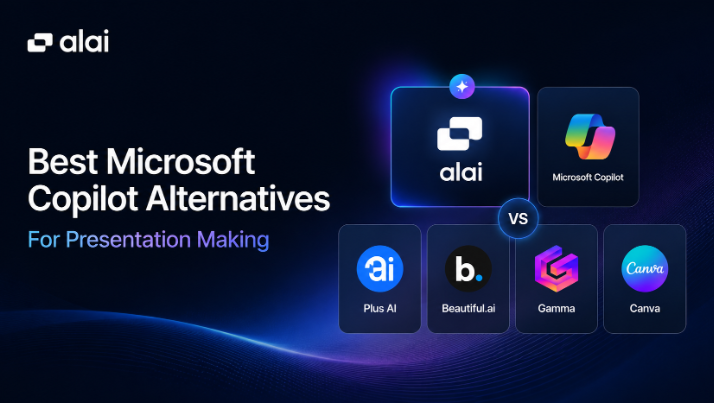
Best Microsoft Copilot Alternatives at a Glance
| Tool | Best For | Where It Beats Copilot | Main Limitation |
| Alai | Enterprise-quality AI presentations | Stronger design systems, Agent Mode, asset reuse, PPT/PDF export, API/MCP/A2A workflows | Deeper setup helps when teams need full brand systems |
| Plus AI | Google Slides and PowerPoint users | Works inside existing slide workflows | Limited by the base slide editor |
| Beautiful.ai | Structured business decks | Smart Slides and brand guardrails | Template-first and less flexible after generation |
| Gamma | Fast drafts and lightweight decks | Quick idea-to-deck generation and web sharing | Less suited for strict enterprise brand control |
| Canva | Visual marketing presentations | Templates, brand kits, and broad visual assets | Broad design tool, not presentation-workflow focused |
1. Alai
Alai is the strongest Microsoft Copilot alternative for teams that need the AI to keep working after the first draft, not stop there.
Copilot’s value is real but narrow: it drafts content inside PowerPoint and pulls context from Word, Drive, and Teams. The output is a starting point. After that, every spacing fix, layout adjustment, brand correction, and revision round is the same manual PowerPoint work that existed before Copilot arrived. For teams whose biggest time sink is the first draft, that’s enough. For teams whose biggest time sink is everything after, it isn’t.
Where it fits Copilot-replacement work
Three places Alai goes further than Copilot, in the order most teams actually feel the difference.
Brand consistency that survives non-designer edits. Copilot works within the existing PowerPoint template. If the template is good, the first draft stays close to brand. The moment someone resizes a logo by 4%, nudges spacing by hand, or pastes in an old slide with a different font weight, PowerPoint enforces nothing and Copilot doesn’t catch it. Alai encodes the brand as a design system: typography hierarchy, casing rules, spacing logic, color usage, icon style, chart formatting. Every AI action and every manual edit passes through that system. The deck stays on brand because the brand is the layer underneath, not a checklist someone enforces after the fact.
Full-deck editing through Agent Mode. Copilot can rewrite a slide. It cannot read the whole deck, understand where slide six sits in the narrative arc, and rewrite it in context with everything around it. Agent Mode handles full-deck edits through plain text. “Shorten the strategy section, move the recommendation slide ahead of pricing, swap the case study for the SaaS one, rewrite the opening for a CFO audience.” Done in one pass, in context, on brand. This is the part of the workflow where most Copilot users go back to manual PowerPoint editing. Alai removes the handoff entirely.
Ingestion of existing PowerPoint assets as a foundation, not a template wallpaper. Copilot uses your PowerPoint template, which means the brand consistency ceiling is the template file itself. Alai ingests the existing template, the approved slide library, and the brand asset folder, and rebuilds them inside the design system. Pixel by pixel. Years of refined customer proof slides, comparison layouts, and executive update formats become building blocks the AI can pull from when generating a new deck. Nothing gets thrown away. The slide library actually does work for the team instead of sitting unused in SharePoint.
A fourth point that matters for any team thinking past one deck at a time: Alai has an API, MCP server, and A2A integration. Decks can generate programmatically from Salesforce, HubSpot, Looker Studio, or an internal data warehouse. They can be created inside a Claude or Cursor workflow without leaving the LLM client. They can trigger from internal agent pipelines without a human in the loop for assembly. Copilot has none of this.
Where it falls short
Brand systems take real setup. For a team replacing Copilot at the org level, that means uploading the existing PowerPoint templates, slide libraries, and brand guidelines, then reviewing how Alai has encoded them. It’s an hour of work per brand, not a five-minute prompt. For enterprises with serious brand requirements and high deck volume, the setup pays back inside the first month of use. For a team that ships two decks a quarter and is fine with PowerPoint defaults, Copilot is the easier call.
The other honest tradeoff: Copilot ships free inside an existing M365 license. Alai is its own line item. For procurement-constrained teams, that’s a real decision, not a feature gap.
Use it for
Enterprise sales decks, client proposals, recurring marketing presentations, customer success QBRs, executive updates, board decks, investor presentations, and internal training decks. Anywhere the AI needs to stay useful past the first draft and brand consistency has to survive non-designer edits.
For teams running on programmatic deck generation, weekly campaign reports auto-built from Looker Studio or GA4, personalized sales decks generated from CRM data, follow-up decks triggered by Gong call transcripts, the API, MCP, and A2A integrations close the gap that no Copilot workflow can.
2. Plus AI
Plus AI is a practical Microsoft Copilot alternative for teams that want AI help inside familiar slide tools.
It works with Google Slides and PowerPoint, which makes it useful for teams that do not want to move their whole presentation workflow into a new platform. Plus AI positions itself as an AI presentation maker for creating professional slide decks inside existing tools.
Why It Works
Plus AI can help users:
- Generate new slide drafts
- Rewrite slide content
- Edit existing decks
- Work inside Google Slides or PowerPoint
- Keep using existing templates and workflows
This makes it a good fit for teams that want AI assistance without changing where they already build presentations.
Main Limitation
Plus AI is still limited by the editor it sits inside.
If the team needs deeper design-system enforcement, advanced visual frameworks, or full presentation workflow automation, Plus AI may not go far enough. It is useful for adding AI to existing workflows, but not always for replacing a full deck production process.
3. Beautiful AI
Beautiful AI is a good Copilot alternative for teams that want structured business presentations and basic brand guardrails.
It is built around Smart Slides, templates, and shared libraries. This makes it useful for teams that want presentations to stay clean and consistent without doing every layout manually.
Why It Works
Beautiful.ai helps with:
- Smart slide layouts
- Locked themes
- Shared slide libraries
- Reusable branded slides
- Cleaner business presentations
- Basic brand guardrails
It can be a good fit for teams that want more structure than PowerPoint but do not need a highly flexible AI workflow.
Main Limitation
Beautiful.ai is template-first.
That can help with consistency, but it can also limit flexibility. If the content needs a layout outside the available structure, the user may have to adjust the message to fit the template.
It is useful for basic branded decks, but less strong when teams need deep asset ingestion, full design-system encoding, and fast AI iteration after the first draft.
4. Gamma
Gamma is useful for teams that want fast internal AI-generated presentations, simple explainers, and web-based sharing.
It is often a better fit than Copilot when the user wants to move quickly from an idea to a lightweight deck or document-style presentation. Independent comparisons also note that newer AI presentation builders are competing strongly with Microsoft PowerPoint/Copilot and Google Slides/Gemini on output quality and user experience.
Why It Works
Gamma works well for:
- Quick first drafts
- Internal explainers
- Lightweight client decks
- Web-style presentations
- Early concept sharing
Its biggest strength is speed.
Main Limitation
Gamma is less ideal for strict enterprise brand control.
If a team needs approved asset reuse, PowerPoint-heavy workflows, deep design-system consistency, or polished enterprise sales decks, Gamma may need extra review and cleanup before final delivery.
5. Canva
Canva is a strong Microsoft Copilot alternative for marketing teams and visual content creators.
It is not only a presentation tool. Agencies, marketers, and internal teams use Canva for social graphics, campaign visuals, one-pagers, brand assets, and simple decks.
Why It Works
Canva is useful for:
- Marketing presentations
- Campaign decks
- Visual assets
- Brand templates
- Social graphics
- Simple client-facing slides
- Non-designer content creation
Its biggest advantage is accessibility. Many people can create visually appealing content without advanced design skills.
Main Limitation
Canva is broad, which is both useful and limiting.
It is strong for visual content, but not always the best choice for recurring enterprise presentation workflows, brand-safe AI editing, or high-volume deck creation from approved assets.
For teams that need presentation quality, full-deck AI editing, and stronger enterprise deck workflows, Alai is usually a better fit.
When Microsoft Copilot Is Still Enough
Microsoft Copilot may still be enough if your team already works fully inside Microsoft 365 and only needs help with simple PowerPoint drafts.
It is useful when:
- PowerPoint is already the main workflow
- Presentations are mostly internal
- Brand rules are simple
- Teams want AI inside familiar tools
- Existing templates are already well managed
- Decks are created very sparingly
But if the team needs more polished deck quality, stronger brand consistency, richer layout options, or recurring presentation workflows, a dedicated AI presentation platform is worth considering.
Which Copilot Alternative Fits Your Presentation Workflow?
Choose Alai if your team needs enterprise-quality decks recurringly, strong brand consistency, approved asset reuse, Agent Mode, and PowerPoint/PDF export.
Choose Plus AI if your team wants AI inside Google Slides or PowerPoint without switching tools.
Choose Beautiful.ai if your team wants smart templates and basic brand guardrails.
Choose Gamma if your team wants fast drafts and lightweight presentation sharing.
Choose Canva if your team creates many visual assets beyond presentations.
Final Thoughts
Microsoft Copilot is useful, especially for teams already inside PowerPoint.
But presentation making is not only about creating a first draft. Enterprise teams also need polished design, brand-safe editing, reusable assets, and workflows that support sales decks, reports, proposals, and executive presentations.
That is where dedicated AI presentation tools can be stronger.
If your team needs quick AI help inside PowerPoint, Copilot may be enough. If your team needs higher-quality decks, better brand consistency, and faster iteration from draft to final, Alai is the strongest alternative on this list.
FAQs
What is the best Microsoft Copilot alternative for presentations?
Alai is one of the best Microsoft Copilot alternatives for presentation making because it supports high-quality AI deck creation, full-deck editing, brand consistency, existing asset use, and PowerPoint/PDF export.
Why would a team use an alternative to Copilot for PowerPoint?
Teams may need a Copilot alternative if they want stronger design quality, deeper brand consistency, multiple layout options, approved asset reuse, or a dedicated presentation workflow beyond PowerPoint.
Can Copilot alternatives export to PowerPoint?
Yes. Some AI presentation tools support PowerPoint export. Alai supports PowerPoint and PDF export, while tools like Plus AI work inside existing slide editors.
Which Copilot alternative is best for enterprise sales decks?
Alai is a strong fit for enterprise sales decks because it helps teams create polished, branded, client-specific presentations faster while keeping approved assets and brand systems consistent.
Is Microsoft Copilot still useful for presentation making?
Yes. Microsoft Copilot is useful for teams that already work inside Microsoft 365 and need simple AI help inside PowerPoint. But dedicated AI presentation tools may be better for high-quality, brand-safe, recurring deck creation.